
Initiate Your Background Check
Complete your background check in just a few minutes directly from your Rugby Xplorer account.
Step 1: Sign Up
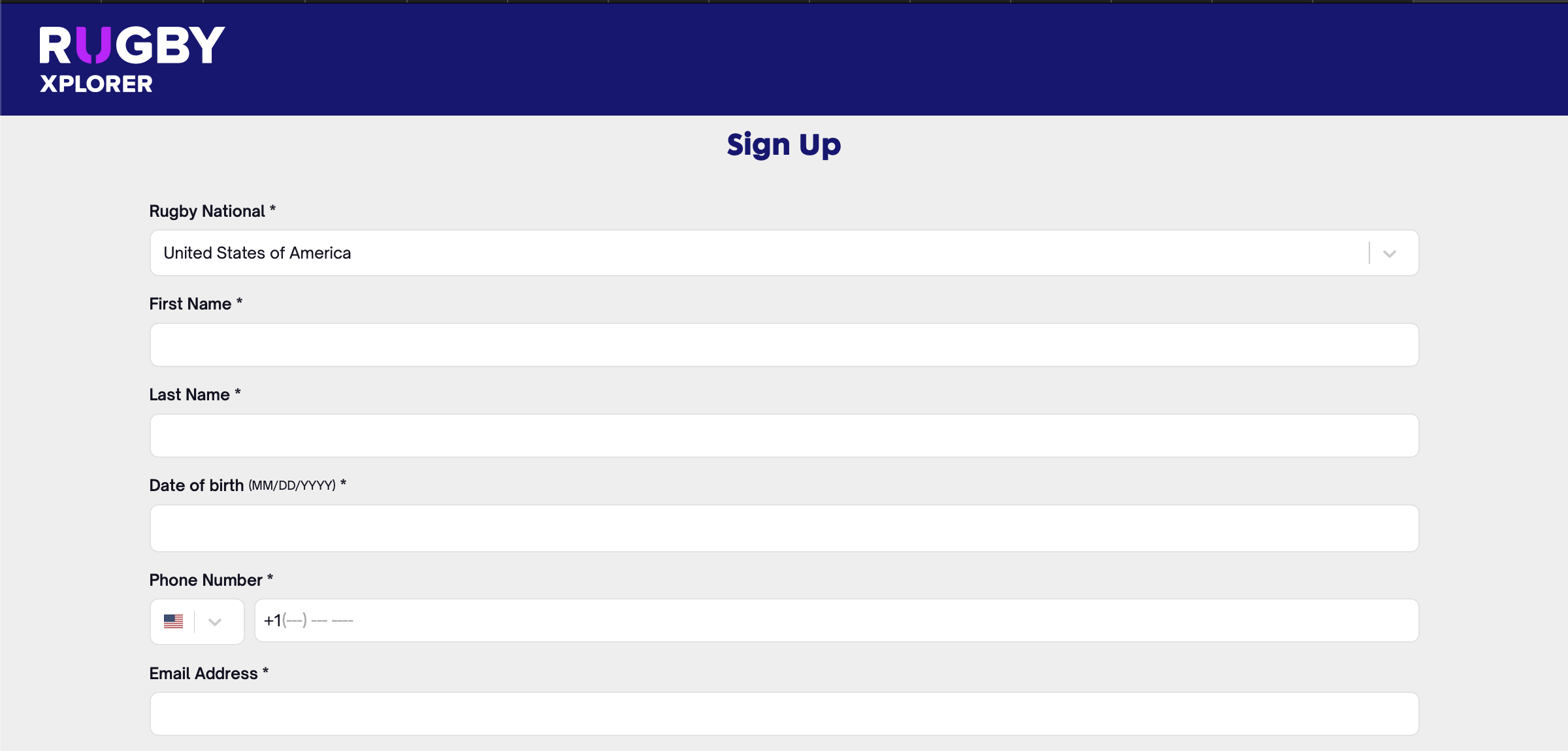
- Register with a Rugby Xplorer profile.
- If you already have an account, login and skip this step.
- Create an account at Rugby Xplorer Registration.
- Make sure to select the United States in the “Rugby National” drop-down.
Use your existing account if you have already registered as a player, you can have multiple role types.
Step 2: Registration

- Click on “Register” from the left-hand side menu, then “Register to a Club.”
- Make sure to select your correct Club, then complete your Club’s registration requirements.
- Pay your Club and Union registration fees, as applicable.
If you will have multiple role types, complete these steps as needed for each role.
Step 3: Accreditations

- From the “My Profile” page, scroll down to “Accreditations”
- Select “Background Check”
- Complete all steps to submit
The option to complete a background check will only be available if you have completed your registration as a coach, volunteer, or admin.
Tips
- Have your information ready
- Desktop recommended, can be completed on mobile
- Use your registration email for ease of reference
- Need help? Contact your club admin
Additional Resources
Further information on USA Rugby Background Check and Screening Policy can be found here: https://xplorer.rugby/safety-welfare/background-check